

Role: Teacher
Estimated time: 1–2 minutes
What you will see
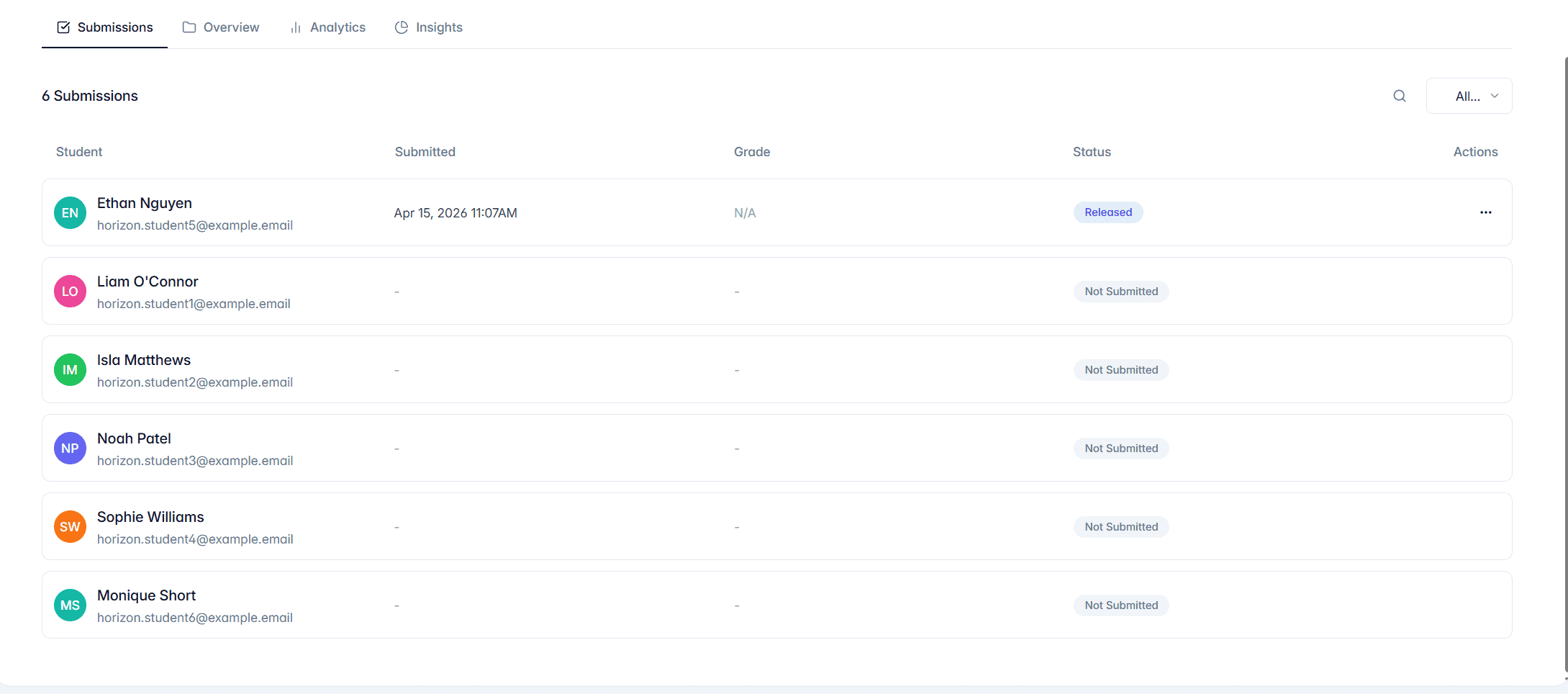
When a student has not submitted an assessment, their status is Not Submitted. Their row shows no submitted date, grade or percentage.
Open the student’s row to view the assessment in read-only mode. This lets you check the assessment and confirm its questions, but there is no student response to mark.
Why can’t I grade or finalise it?
TeachersAI only enables grading once a student has submitted work. Until then:
Question marks cannot be entered.
Save Changes, Finalise Grade and Release Grades are unavailable.
No feedback or final grade can be provided.
What can I do next?
Check the assessment’s due date and whether late submission is allowed.
Remind the student to complete the assessment.
Once the student submits, their status changes and the grading controls become available for review.
Good to know
Viewing a not-submitted assessment does not create a grade or affect the student’s results.
This is different from a submitted assessment that has been finalised: a finalised submission has work to review, while a not-submitted assessment has no response yet.