

Role: Teacher
Estimated time: 2–3 minutes
Why this matters
Inside Assessments, you’ll see two main tabs:
My Assessments
Assigned
They serve different purposes.
Understanding this distinction makes everything else clearer.
My Assessments = Your Assessment Library
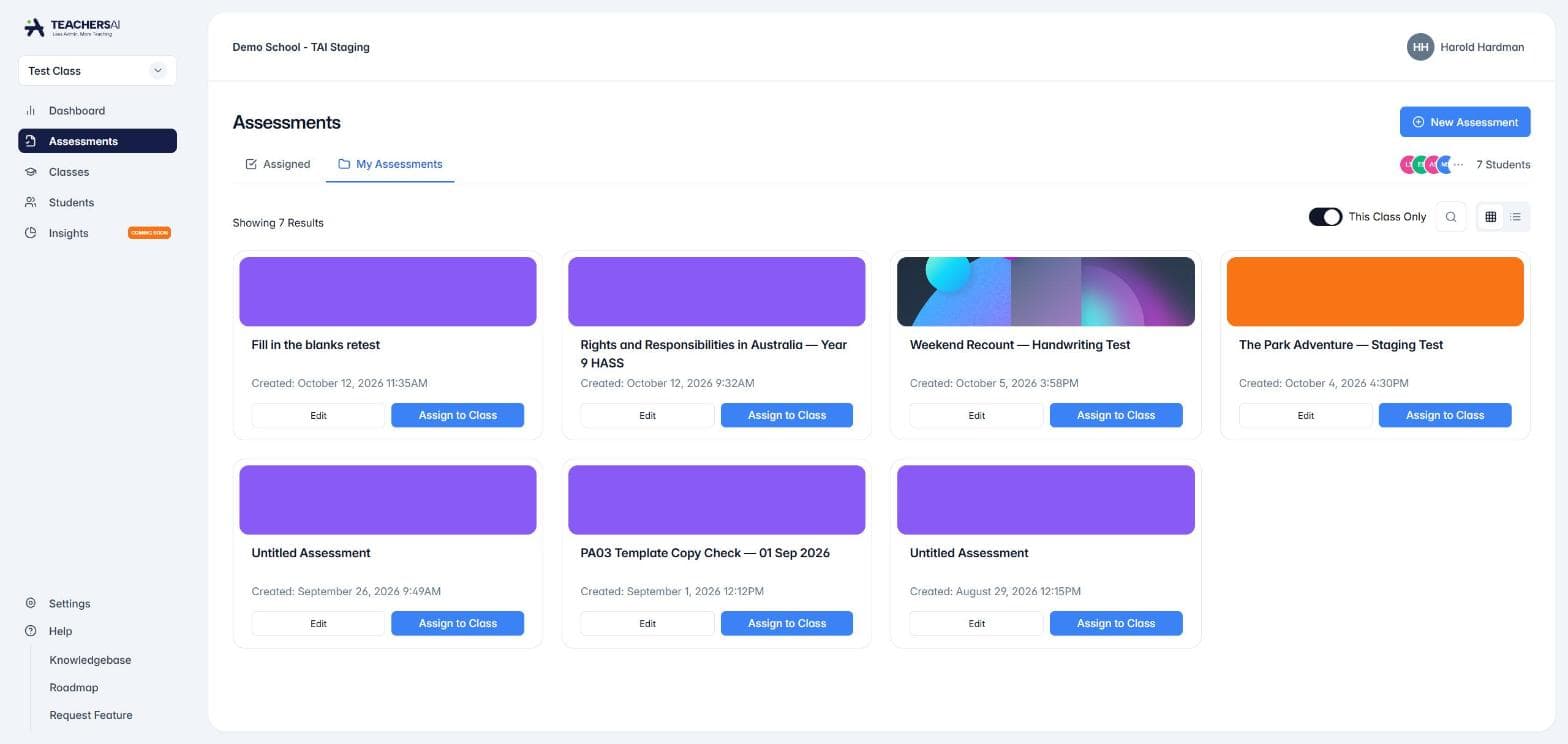
Think of My Assessments as your master filing cabinet.
This is where you’ll find:
Draft assessments
Saved assessments
Templates ready to use
Assessments you’ve created for this subject/class
You can:
Edit them
Preview them
Duplicate them
Assign them when ready
These are your master versions.
Assigned = What Students Have Been Given
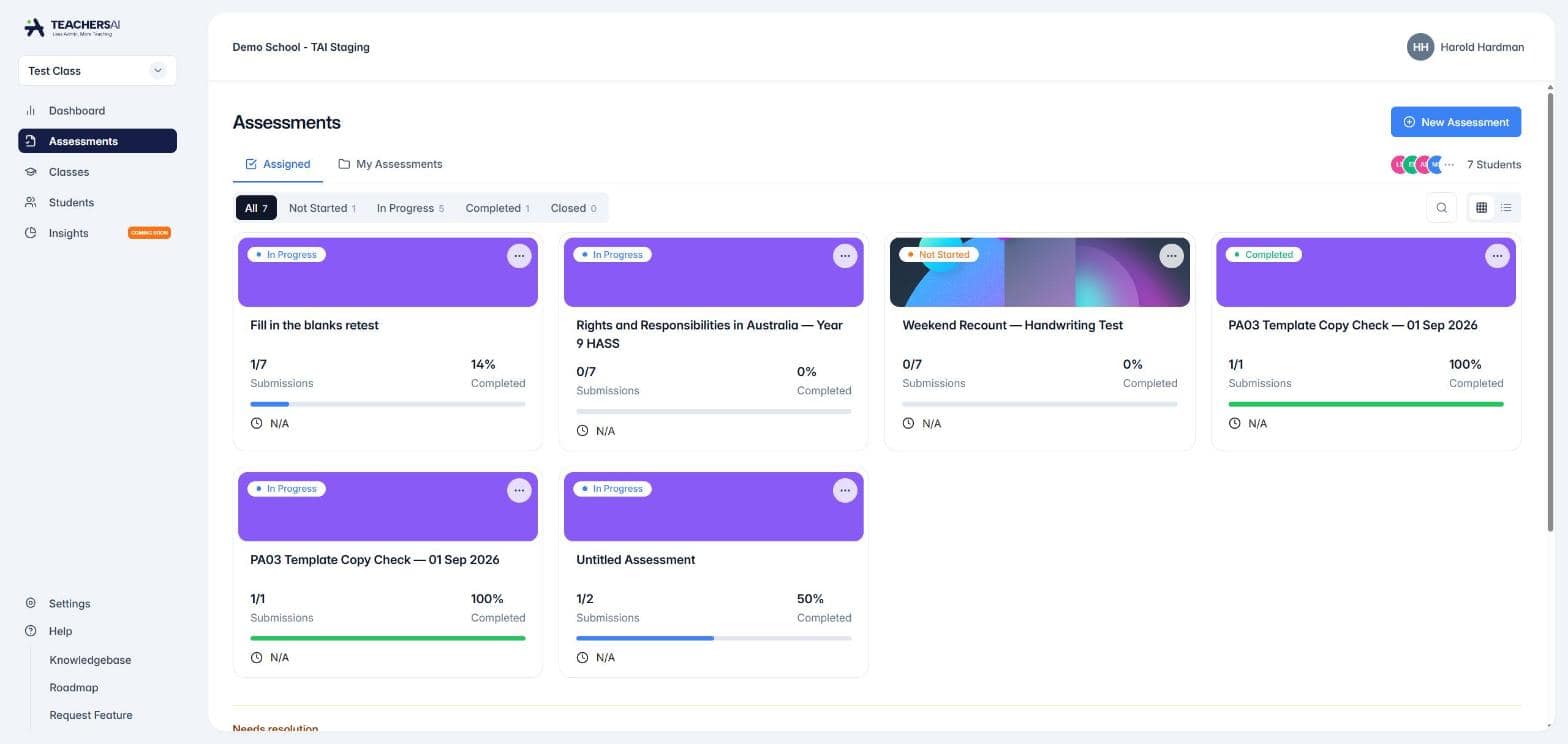
When you click Assign to Class, something important happens:
Students receive a copy of that assessment at that moment in time.
That assigned version now lives in the Assigned tab.
Here you can:
Filter by All, Not Started, In Progress, Completed or Closed
See how many students have submitted and the percentage completed
See the due date
Open an assessment to mark submissions and release results
This is your live classroom view.
What happens if I edit an assessment after assigning it?
This is a common question.
When you assign an assessment:
Students receive their own assigned copy
That copy does not change automatically if you edit the master
If you return to My Assessments and edit the assessment:
It updates the master version
It does not change work already assigned
Students continue working on the version they were given.
Simple analogy
🗂 My Assessments = Master template
📤 Assigned = The printed copy handed to students
If you edit the master template after printing, it doesn’t change the printed copies already handed out.
You would need to print and distribute a new version.
Quick flow summary
Create → Store (My Assessments)
Assign → Students receive a copy
Monitor → Track progress in Assigned
Important reassurance
You won’t accidentally overwrite student work by editing your master assessment.
Student submissions remain attached to the assigned copy.
This distinction keeps your planning space separate from your live classroom space.
Current workflow: update a master and assign again
You can edit a reusable assessment in My Assessments after it has been assigned. Your changes update the master version only.
When you assign that master again, TeachersAI creates a new, independent assigned copy using the version that exists at that time. Earlier assigned copies and student submissions do not change.
Use Edit when you want to improve the master for future assignments.
Use Duplicate when you want to keep two separate master versions, such as a standard task and an adapted version.
This gives you a safe way to refine an assessment without overwriting work students have already received or submitted.